






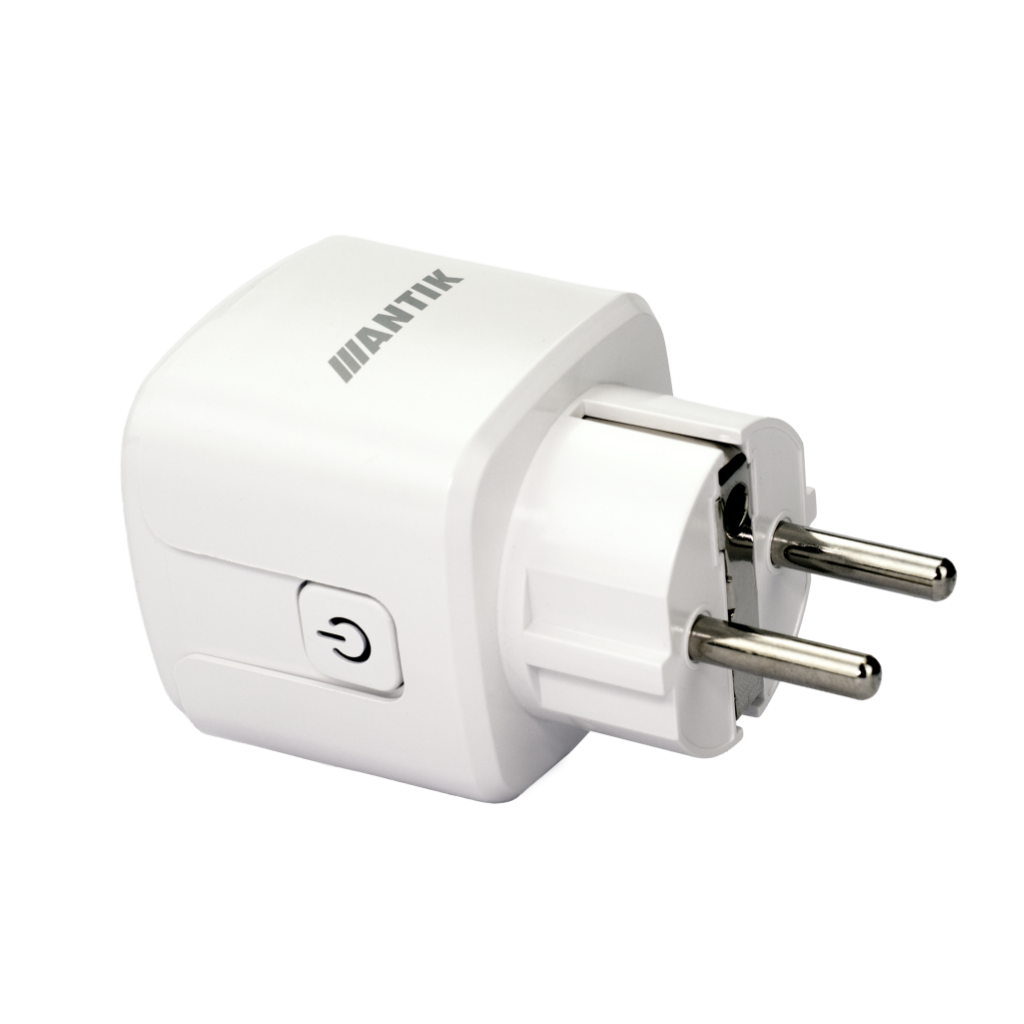


ANTIK Smart Wi-Fi socket 16A, ATK-SPL1-W16A

- Power supply: AC 100–240V
- Max. load: 16 A
- AC frequency: 50 / 60 Hz
- Device power consumption: < 0.8 W
- Wi-Fi type: 2.4 GHz 802.11 b/g/n
- Network security: WPA/WPA2
- Housing material: ABS + PC
- Product dimensions: 49 × 49 × 82 mm
- Product net weight: 79g
- Package dimensions: 67 × 56 × 87 mm
- Gross product weight: 97g
- Operating temperature: -10 °C to +40 °C
- Working environment (consumption): < 0.8 W
- Physical button: yes
The socket provides continuous and accurate monitoring of the electrical parameters of the connected device. It measures voltage (V), instantaneous power consumption (W), current consumption and cumulative electricity consumption (kWh) in real time. All measured data is available via a mobile application and is automatically synchronized via Wi-Fi connection (2.4 GHz).
The user has a detailed overview of both current energy consumption and historical consumption records, which allows them to analyze the operating behavior of appliances, identify energy peaks, and effectively optimize electricity costs.
Technical parameters:
-
Measured quantities: voltage (V), power consumption (W), current consumption, total consumption (kWh)
-
Consumption record history with data archiving
-
Real-time online monitoring via 2.4 GHz Wi-Fi
-
Device's own power consumption: < 0.8 W
ANTIK Smart Wi-Fi socket 16A; ATK-SPL1-W16A Instructions in pdf. can be downloaded HERE


Accurate real-time consumption measurement
The socket continuously monitors the current consumption of the connected device. It displays voltage values, power consumption and total energy consumption in kWh. The data is available in the application and is synchronized via Wi-Fi connection. The user has an overview of the current consumption and historical records. The measurement allows you to optimize the use of appliances and identify energy peaks.
- Measurement: W, V, current consumption, total kWh consumption
- Consumption record history
- Real-time operation via 2.4 GHz Wi-Fi
- Working environment < 0.8 W

Reliable remote control via Wi-Fi network
The socket can be controlled from anywhere using the application. The device's response is immediate even with a weaker signal, thanks to the 802.11 b/g/n protocol. Control is available via the Internet, local Wi-Fi network and a physical button. It is suitable for both home and commercial installations. Reliable transmission allows stable operation with all supported loads.
- Wi-Fi: 2.4 GHz 802.11 b/g/n
- Security: WPA/WPA2
- Mobile application: ANTIK SmartHome
- Physical on/off button
- Max. load: 16 A
Advanced timers and automations
The device supports multiple switching modes that can be combined with Smart scenes. It allows devices to be automatically turned on and off according to time, cycle and random mode. Automations increase safety and efficient energy management. The socket works as part of a wider SmartHome system. The modes are fully adjustable in the application.
- Timers: Countdown, Schedule, Random, Circulate, Inching
- Smart scenes via app
- Relay status: On / Off / Remember
- Switch log - switching history
- Clear power data - reset consumption

Protective functions for safe operation
The socket has settings that protect devices from long-term low consumption or unwanted operation. The Overcharge switch function automatically turns off the socket when the consumption is less than 3 W for a long time. The Child Lock mode prevents accidental button presses. The system is stable over a wide voltage range. Security protocols protect Wi-Fi communication.
- Overcharge switch: shutdown <3 W after 40 minutes
- Child Lock: protection against manual switching
- Power supply: AC 100–240V
- Frequency: 50/60 Hz
- Stable operation up to 16 A
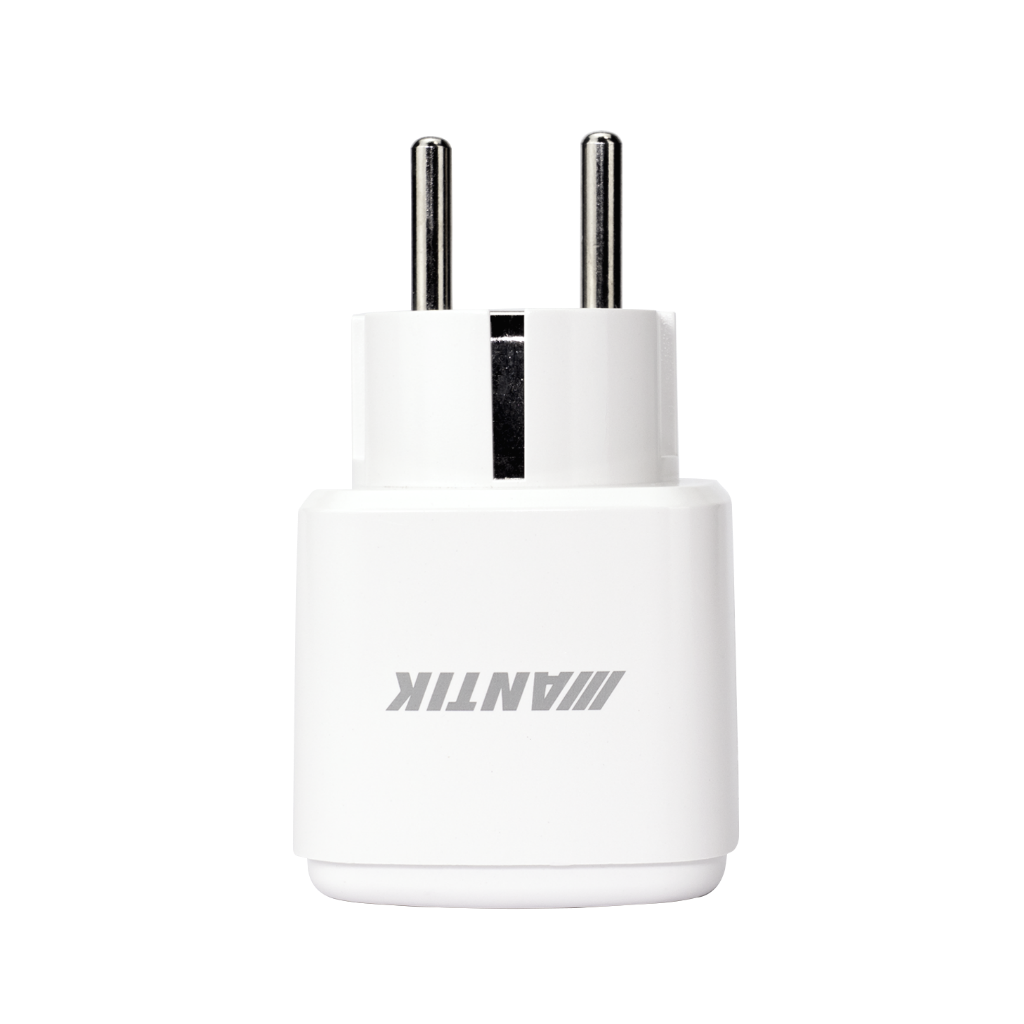
Compact design with durable housing
The socket is made of ABS+PC material, which ensures mechanical and thermal resistance. Its dimensions allow use in standard sockets without restrictions on adjacent ports. The device operation is energy-efficient. The product is suitable for long-term use in various environments. Its weight facilitates assembly and handling.
- Housing material: ABS + PC
- Dimensions: 49 × 49 × 82 mm
- Weight: 79 g
- Operating temperature: –10°C to +40°C
- Device consumption: < 0.8 W

Package contents
Thanks to intuitive connection and easy operation, the device is also suitable for users without technical knowledge.
Package contents:
- 1× WiFi socket
- 1× User manual
Technical information:
- Device dimensions (WxDxH): 49 × 49 × 82 mm
- Package dimensions (WxDxH): 67 × 56 × 87 mm
- Net weight: 79g
- Gross weight: 97g
- Operating temperature: -10 °C to +40 °C

Scene: Turn on the Christmas lights with one click
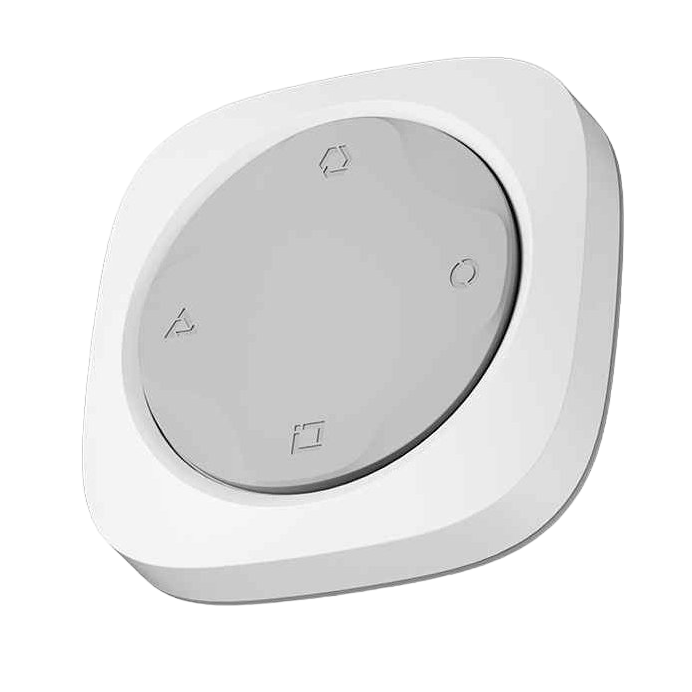
Press the preset button to activate the "Christmas Lights" scene, which will gradually light up the strings of lights on your Christmas tree via the smart socket. This eliminates the need for the cumbersome need to reach behind the tree and manually plug the lights into the socket. In addition, you can schedule the lights to activate at a selected time via the schedule function in the app.
For this scene you need:
- ANTIK Smart socket
- ANTIK Smart 4-button
*To use the 4-button, it is necessary to have a Zigbee Gateway purchased and paired in the application.


For more details, watch the accompanying video
Step into the world of Smart technologies with us, where we will introduce smart products from the areas of home, security, comfort, health, camera systems and many other areas. Choose from a variety of smart devices that will reliably secure your home, business, garage or cottage.


Download the ANTIK SmartHome® app
With the ANTIK SmartHome® app, you can easily control and monitor the consumption of your devices. You can turn the socket on or off remotely, monitor the current power, voltage and consumption in real time, and work with the measurement history.
In the app you can:
- Monitor current current, power, voltage, and daily and total energy consumption
- Check switch history (Switch Log) and energy records
- Create timers and automations (Countdown, Schedule, Random, Circulate, Inching)
- Set relay behavior after power failure (Relay status)
- Activate safety features such as Overcharge switch and Child lock
- Control the socket anywhere via Wi-Fi or directly with a physical button


Multi-column
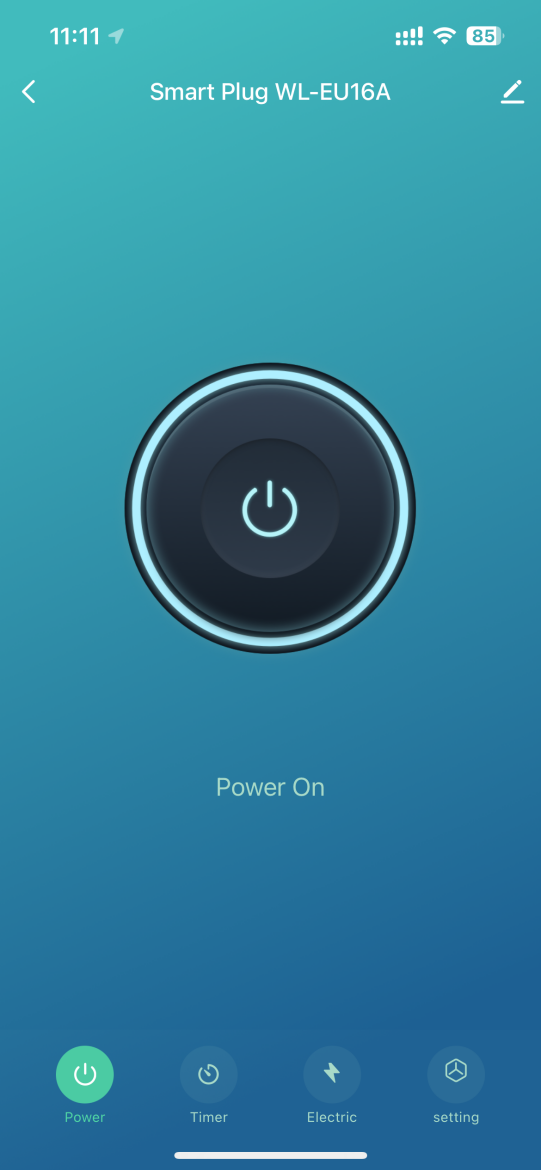
Power On - Device status (powered on)
The screen allows you to control the socket during its active operation.
- Turning off the outlet by pressing the Power button
- Display of active status via a light effect around the control element
- Access to Timer, Electric and Setting modules
- Editing the device name
- Quick return to the main list
It is used to instantly manage the power-on mode and switch between device functions.
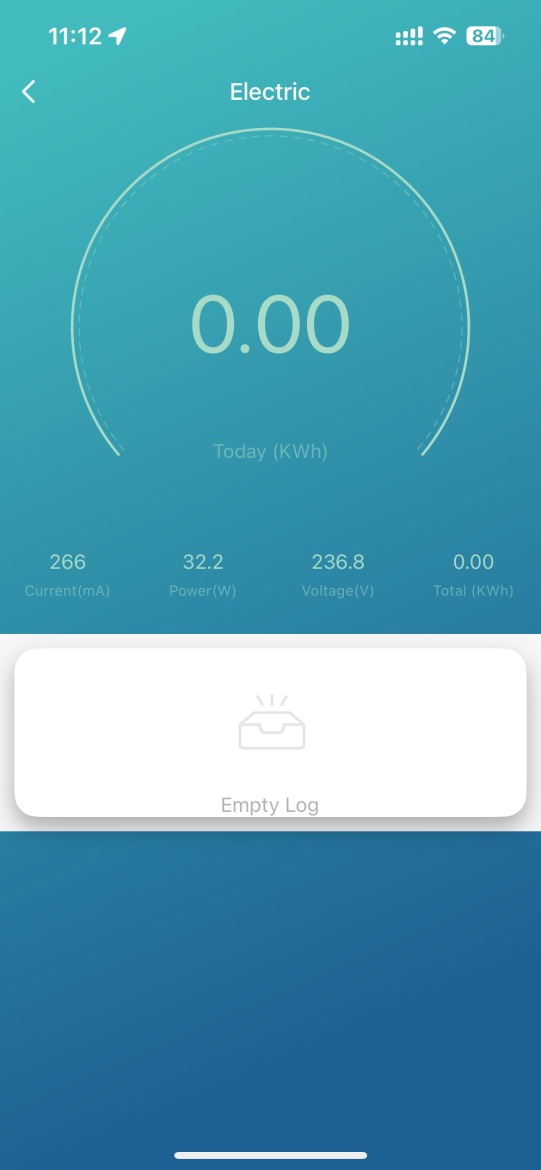
Electric - Measurement of electrical parameters
The section provides real-time measurement for energy analysis.
- Current (mA)
- Instantaneous power (W)
- Mains voltage (V)
- Daily consumption (kWh)
- Total consumption (kWh)
The screen serves as a monitor of the device's consumption and electrical values.
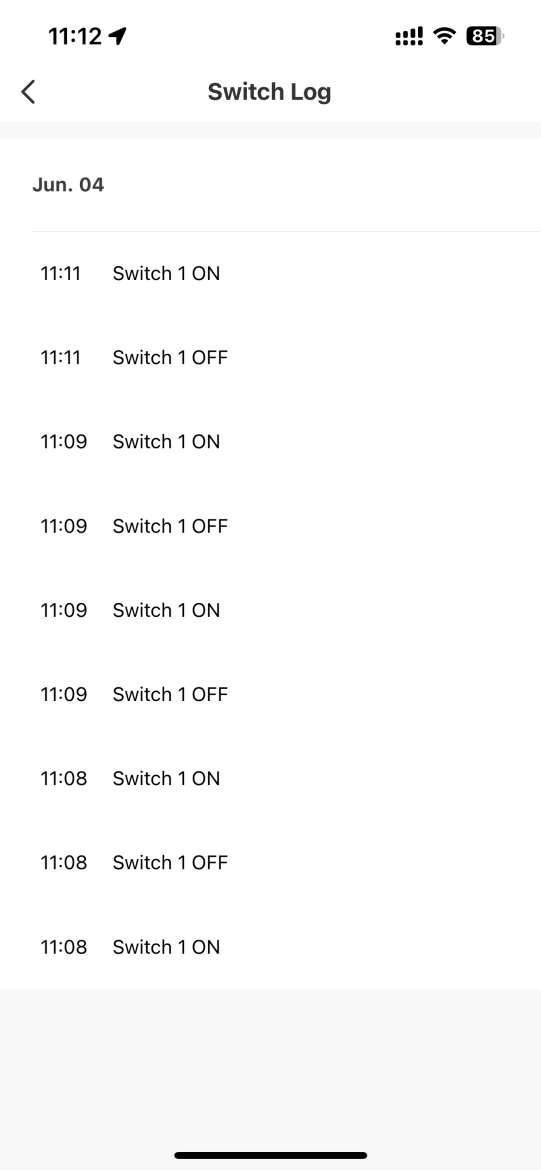
Switch Log - Switching history
The screen displays a chronological overview of all ON/OFF events.
- Detailed timestamps of all switchings
- Separating individual records by date
- Transparent overview of the operating cycle
- Possibility of retrospective control of automations
- Saving events without user intervention
It serves as a technical record of the socket's behavior.
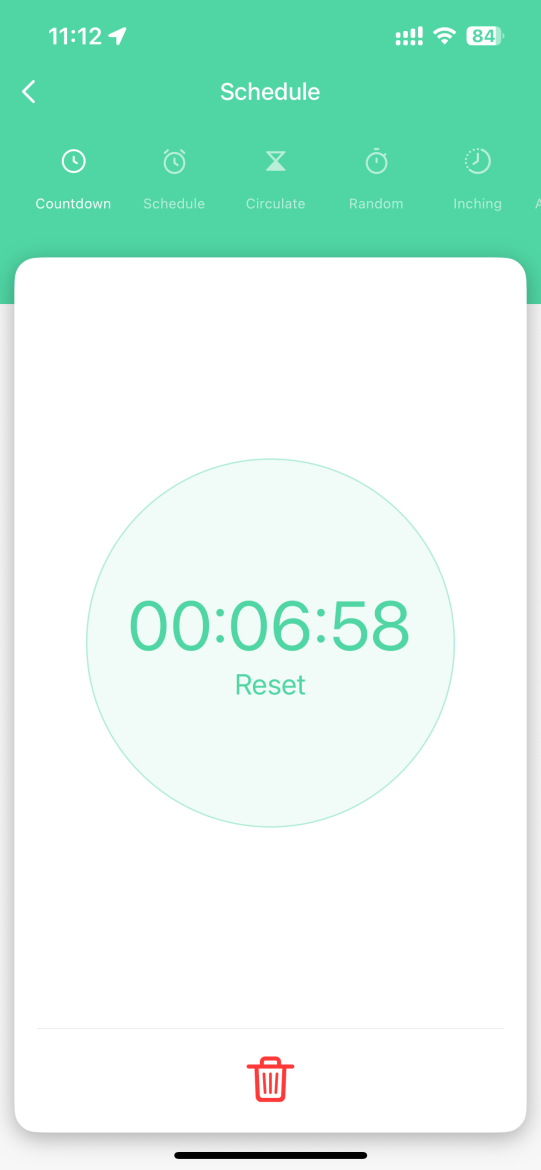
Countdown - Countdown timer
One-time timed turning on or off of the device.
- Setting a precise time interval
- Automatic start after confirmation
- Option to reset or edit
- Timed one-time action without repetitions
- Integration with other timer modes
Countdown provides quick one-time automation.
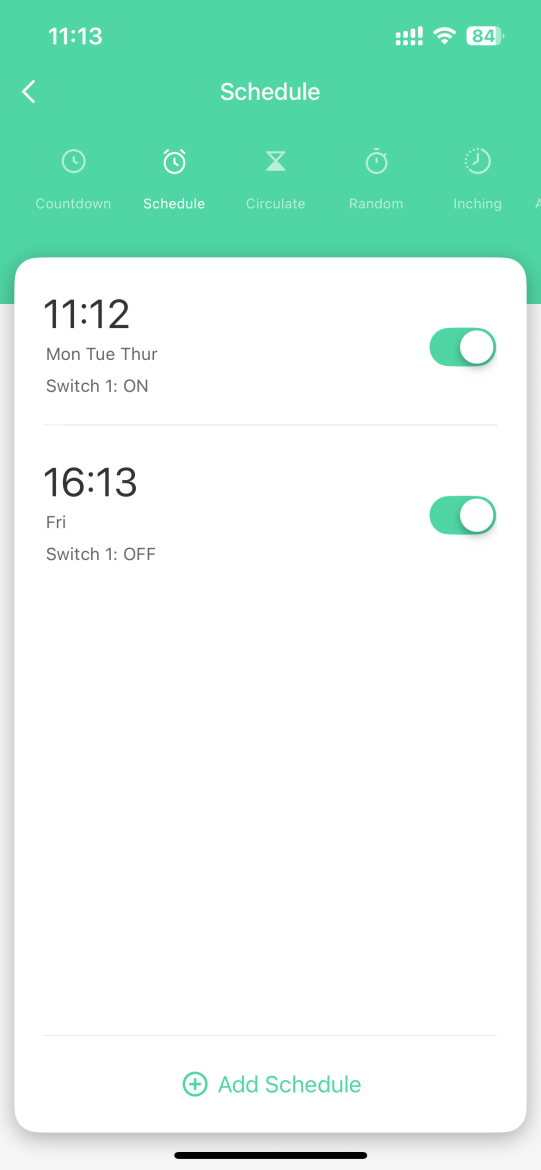
Schedule - Switching planning
Schedule for regular switching on and off by day.
- Selecting specific days of the week
- Select ON/OFF action
- Activating or deactivating individual plans
- Ability to create an unlimited number of plans
- Creating complex weekly scenarios
Schedule allows you to automate routine daily processes.
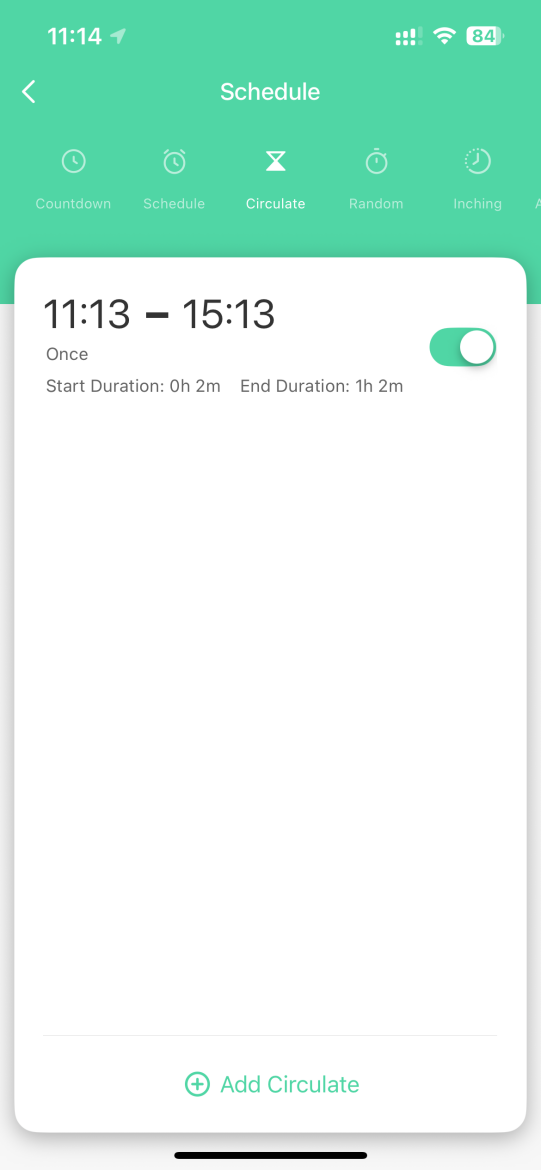
Circulate - Cyclic switching
Mode for repeated switching on and off based on duration.
- Defining the cycle start time
- Setting the length of the on interval
- Setting the length of the off interval
- Activating or deactivating a cycle
- Adding more cycles
Circulate is suitable for modes requiring a stable on-off rhythm.
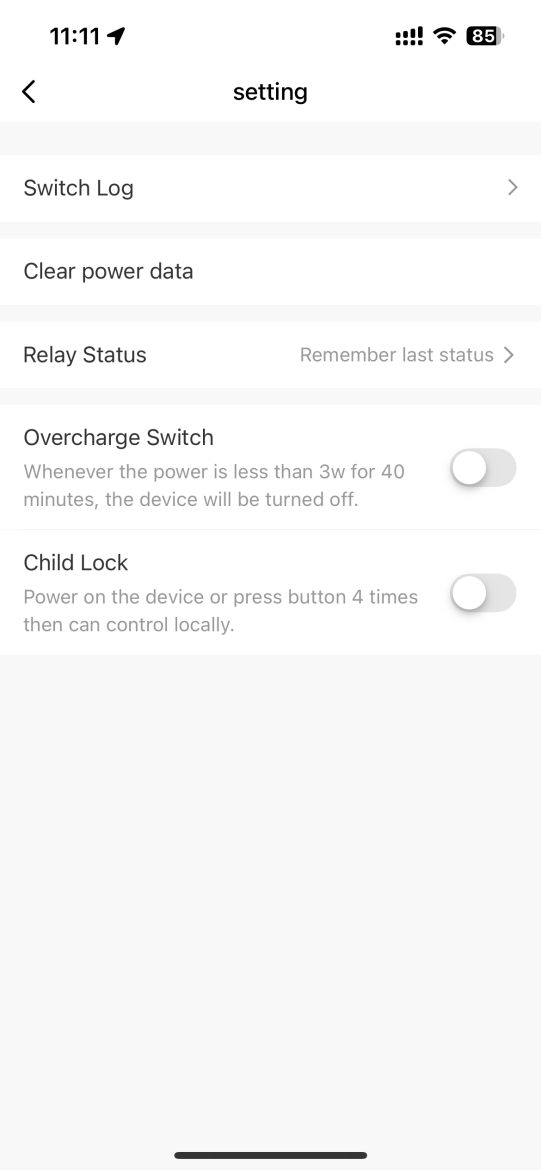
Settings - Configuration parameters
This section contains operation settings and security features.
- Switch log: history of all switching events
- Clear power data: reset energy measurements
- Relay status: choice of behavior after power failure
- Overcharge switch: automatic shutdown when consumption <3 W after 40 min
- Child lock: blocking local control
It provides complete management over operational behavior and security features.
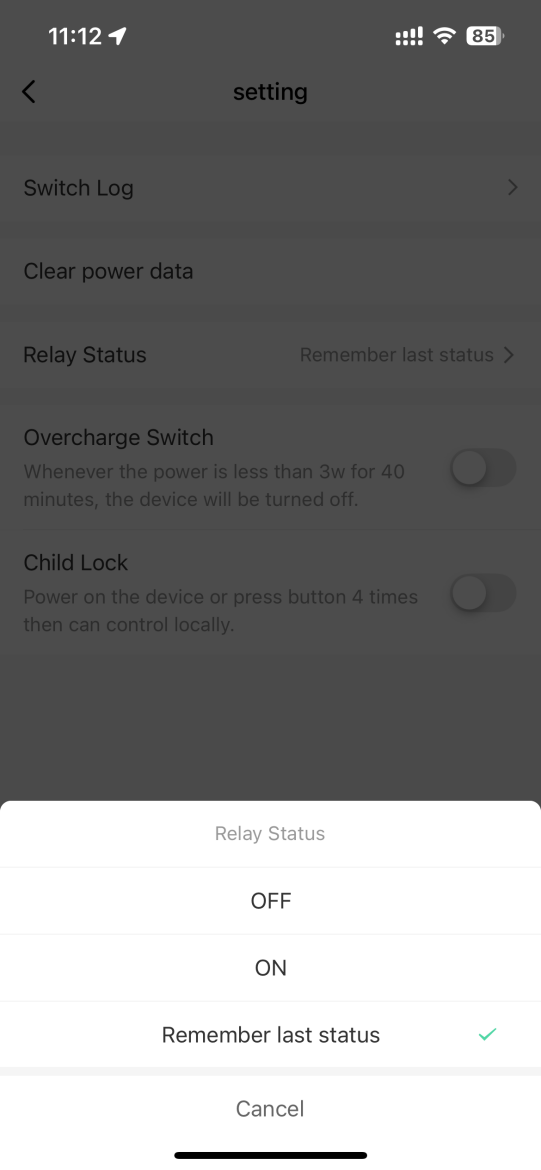
Relay status - Relay status after failure
The setting defines how the outlet should behave after power is restored.
- OFF: relay remains inactive
- ON: relay is activated after power is restored
- Remember last status: restore the last state before the outage
- Instant application of the selected mode
- Option to go back via Cancel
The function ensures stability and predictability of operation during outages.
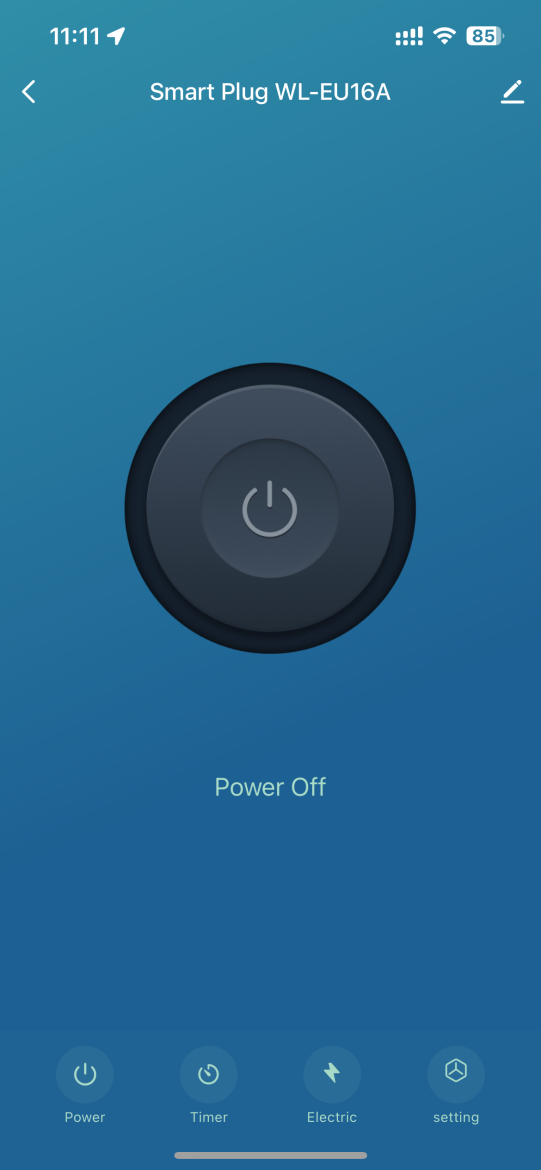
Power Off - Device status (power off)
The screen is used to control the socket when it is in an inactive state.
- Switching on the socket via the central Power control element
- Displaying the current “Power Off” status
- Access to Timer, Electric and Setting sections
- Open device name editing
- Go back to the device list
It serves as the main panel to activate the socket and access other functions.

Automation and smart scenes
Automation is one of the most powerful features of a smart home. It allows devices to respond automatically based on specific inputs – such as motion, temperature changes, time, or manual instructions.
Its greatest advantage is the ability to connect multiple devices and create intelligent links between them. Thanks to automation, separate devices become a connected ecosystem that works logically and increases the overall comfort, security and efficiency of the home.
1. Manual start
The scene is triggered by manually pressing a button in the app or on the physical switch.
2. When the weather changes
Automation is triggered when external conditions change (e.g. temperature, humidity, wind).
3. Timetable
The scene will start at a specific time or according to a set recurring schedule.
4. When the device status changes *important
Automation is triggered in response to a change in another device – a motion sensor, door, camera, or other device.
📌 Automation parameters for this product can be found in the table below ↓
Automatizácia pre ANTIK Smart Wi-Fi zásuvka 16A
Automatizácia vám umožňuje nastaviť pravidlá, podľa ktorých sa zásuvka zapína, vypína alebo reaguje na merané veličiny automaticky - v určenom čase, pri konkrétnej udalosti alebo podľa elektrických parametrov. Automatizáciu možno nastaviť pomocou nasledujúcich parametrov:
| Parameter | Hodnota | Čo robí | Príklad v scéne |
|---|---|---|---|
| Spínač | Zapnuté, Vypnuté | Zapína alebo vypína pripojené zariadenie. | Keď odídem z domu, potom vypnem zásuvku. |
| Aktuálny prúd | Aktuálna hodnota v mA | Meranie prúdu v reálnom čase. | Ak prúd prekročí 5000 mA, zásuvka sa automaticky vypne. |
| Aktuálny výkon | Aktuálna hodnota vo W | Meranie aktuálneho výkonu v reálnom čase. | Ak výkon dosiahne 500 W, pošlite upozornenie. |
| Aktuálne napätie | Aktuálna hodnota vo V | Meranie napätia v reálnom čase. | Ak napätie klesne pod 200 V, odošlite notifikáciu. |
| Porucha | Preprúdová ochrana, prepäťová ochrana, preťaženie, skrat, podprúd, podpätie | Upozornenia na rôzne prevádzkové poruchy a stavy. | Ak sa vyskytne porucha prepätia, zásuvka sa automaticky vypne. |
| Overcharge Switch | Zapnuté, Vypnuté | Vypne zásuvku, ak spotreba klesne pod 3 W po dobu 40 minút. | Ak spotreba dlhodobo klesne pod 3 W, zásuvka sa vypne, aby šetrila energiu. |
| Detský zámok | Zapnutý, Vypnutý | Deaktivuje manuálne ovládanie fyzického tlačidla na zásuvke. | Ak je detský zámok zapnutý, zásuvka sa nedá manuálne prepnúť. |

Frequently asked questions: ANTIK Smart Wi-Fi socket 16A
Does the socket support energy consumption measurement?
Yes. The socket measures current current (mA), power (W), voltage (V), as well as daily and total consumption in kWh. The data is displayed in real time in the Electric section.
Can I operate the socket manually?
Yes. The device has a physical button that allows you to turn it on or off without the app (unless Child Lock is enabled).
Is the socket suitable for powerful appliances?
Supports loads up to 16 A , including most household appliances. Maximum values must be observed according to the technical specification.
How does the Overcharge Switch work?
The function automatically turns off the socket if the consumption drops below 3 W for 40 minutes. It is intended to protect devices or charging processes.
Does the socket record history?
no. The Switch Log section stores an overview of all switching on and off, including timestamps.
Do you have a question about a specific product, its features, technical parameters, or automation options in your home? We are here for you and will be happy to help you choose the right solution or explain the settings.
Write to us at predaj@antik.sk and our team of experts will respond to you as soon as possible. Your satisfaction and the proper functioning of your devices are our priority.
